 35mm Negatives Scanning
 Slide Scanning Services
 Photo Scanning
 APS Film Scanning
 Medium Format 120
 Instamatic Scanning
 Disc Film Scanning
 Ai Image Restore
 Video Conversions
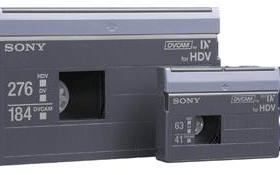 Camcorder Tapes
 8mm and Super 8 Cinefilm
 Audio to Digital MP3
 DVD/Mini-DVD to USB
 Tape Repair Service
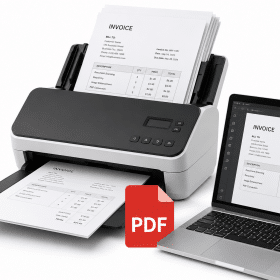 A4 Doc Scanning
 Photo Printing
 Everything Else

Cloud Uploading

You can now have your digital files uploaded straight to your own cloud service over the internet.
Own your own cloud storage ? – We normally use WeTransfer or Microsoft OneDrive for cloud delivery, but if you’d prefer us to upload to your own cloud service, that’s absolutely fine. You’ll just need to provide details so we can complete the upload.
This option is FREE, we don’t charge any extra for our upload service, this also saves on any return shipping charges. Your originals will be kept in storage for one calendar month after the download email has been issue then disposed of.
If you do require your originals back just drop us an email and we will ship them back upon receipt of our standard shipping fee.
If you opted for the originals to be returned and you have not received them within 14 days of receiving your download link then please let us know.

Dropbox File Requests
- Open Dropbox and go to File requests
- Click New request
- Give it a name (e.g. “Mr Scan Uploads”)
- Choose the folder where uploads should go
- Create the request and copy the link
- Send the link to Mr Scan “info@mrscan.co.uk”

- Sign in to OneDrive on the web.
- Select or create the folder where you want files uploaded.
- Click the folder, then select Request files in the top menu.
- Enter a descriptive name for the files, then click Next.
- Copy the link or enter email addresses to send it directly.
Looking to use another cloud storage or file sharing option? Just let us know and we’ll happily look into the viability of it for your project.
File Size Limits – A file size limit sometimes occurs for downloading larger projects, especially multiply videos. In cases like this we will supply a suitable USB stick or External hard-drive, or you are more than welcome to supply your own cloud service link or hard drive.
Important Note: We use a third party file sharing system for our download option. The software company that we use to store and send your images is secure and simple to use following the companies instructions for downloading files. We are not responsible for any technical support or issues caused with any third party company software, if you cannot use or run the software please email us and we will arrange for data to be posted out to you at our standard shipping rate.
* If you have not received an email email link from us please check your junk mail folder
